
How to start first blog
Starting a blog might seem overwhelming, but it's one of the most effective ways to grow your online presence, attract organic traffic, and connect with your audience. Whether you're a startup founder, a SaaS company, or an indie maker, a blog can be your secret weapon for growth.
In this guide, we'll walk you through everything you need to know to start your first blog and create content that actually drives traffic to your project.
Why Every Project Needs a Blog
Before diving into the how, let's talk about the why.
When users search on Google for topics related to your product, your blog posts can appear in search results. This means free, organic traffic from people who are already interested in what you offer.
Here's what a blog can do for your project:
Improve SEO – Each blog post is a new page that Google can index
Build authority – Share your expertise and become a trusted voice in your niche
Educate users – Help potential customers understand your product's use cases
Drive conversions – Turn readers into users by solving their problems

Step 1: Choose the Right Blogging Platform
The platform you choose matters more than you think. You need something that's:
Fast – Page speed affects both SEO and user experience
SEO-optimized – Built-in meta tags, sitemaps, and structured data
Easy to manage – Focus on writing, not fighting with technology
Flexible – Works with your existing domain setup
Many founders make the mistake of using platforms that host content on a separate domain (like Medium or Substack). While these platforms have their place, you lose valuable domain authority.
The Domain Authority Problem
When you publish on medium.com/your-blog, all the SEO juice goes to Medium, not your website.
Instead, you want your blog on:
Your subdomain:
blog.yoursite.comOr even better, a subfolder:
yoursite.com/blog
Subfolder blogs pass more domain authority to your main site, which helps your entire website rank higher in search results.

Step 2: Set Up Your Blog
Let's get practical. Here's how to set up your first blog using Blog CMS:
Create Your Account
Go to useblogcms.com
Sign up for a free account
Create your first blog site
Configure Your Domain
You have two options:
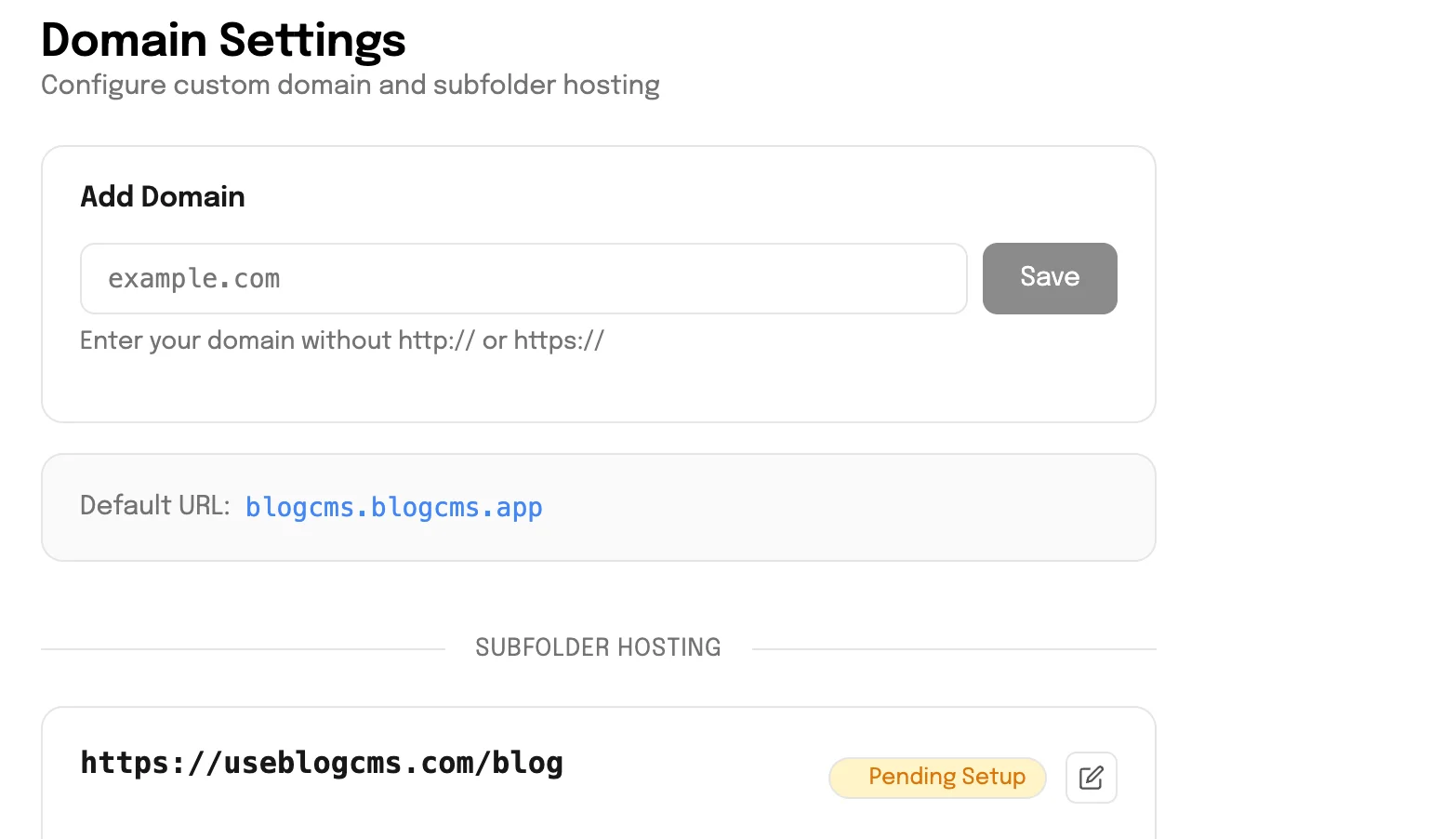
Option A: Custom Domain Point your domain (like blog.yourcompany.com) to your Blog CMS site. This gives you a branded experience while keeping setup simple.
Option B: Subfolder Setup (Recommended) Configure your blog to appear at yourcompany.com/blog. This is the best option for SEO as it keeps all content under your main domain.
Choose a Theme
Pick a theme that matches your brand. Look for:
Clean, readable typography
Fast loading times
Mobile responsiveness
Minimal distractions
Step 3: Plan Your Content Strategy
Don't just write random posts. Create a content strategy that aligns with your product and audience.
Find Topics Your Audience Searches For
Think about:
Problems your product solves – Write tutorials and guides
Questions your users ask – Turn support queries into blog posts
Industry trends – Share your perspective on what's happening in your space
Use cases – Show real examples of how people use your product
Create a Content Calendar
Consistency beats perfection. Aim for:
Minimum: 1 post per week
Ideal: 2-3 posts per week
Quality over quantity: One great post beats five mediocre ones

Step 4: Write Content That Ranks
Here's the formula for blog posts that actually get traffic:
Start With Keyword Research
Before writing, find out what people are searching for:
Use free tools like Google Keyword Planner or Ubersuggest
Look for keywords with decent search volume and low competition
Focus on long-tail keywords (more specific phrases)
Structure Your Posts for SEO
Every post should have: